Input
Markdown vault or diary
Bring a markdown vault from tools like Obsidian. Use default vault
mode for folder-based districts, or diary mode for dated notes like
YYYY-MM-DD.md.
Minecraft x markdown vaults
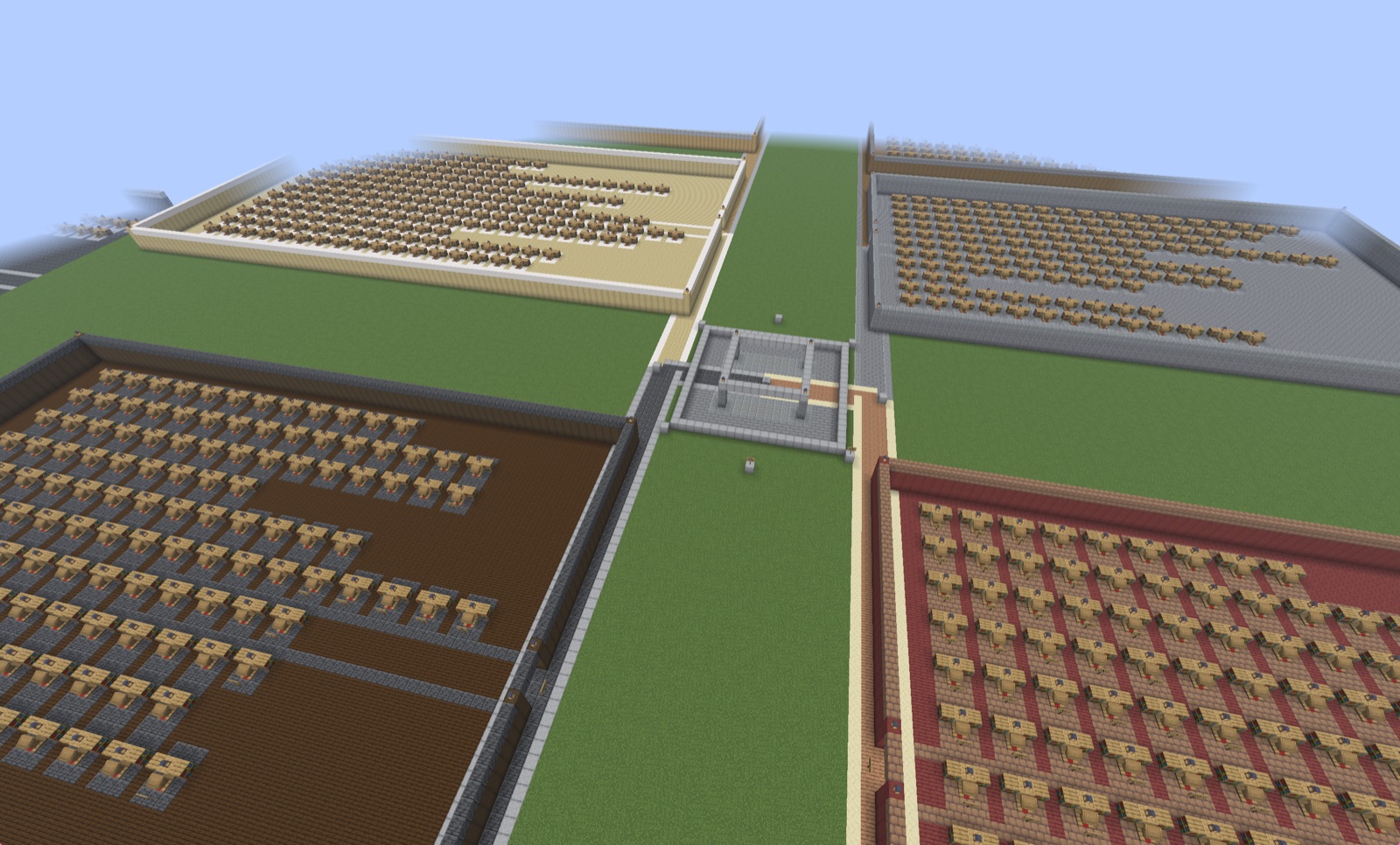
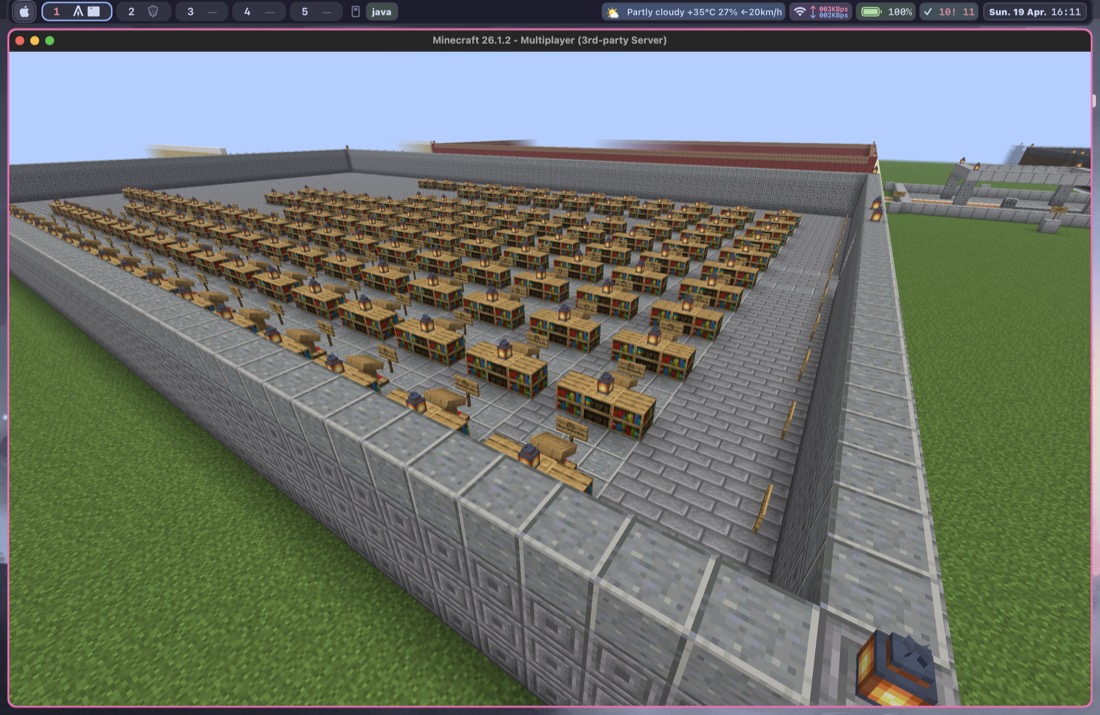
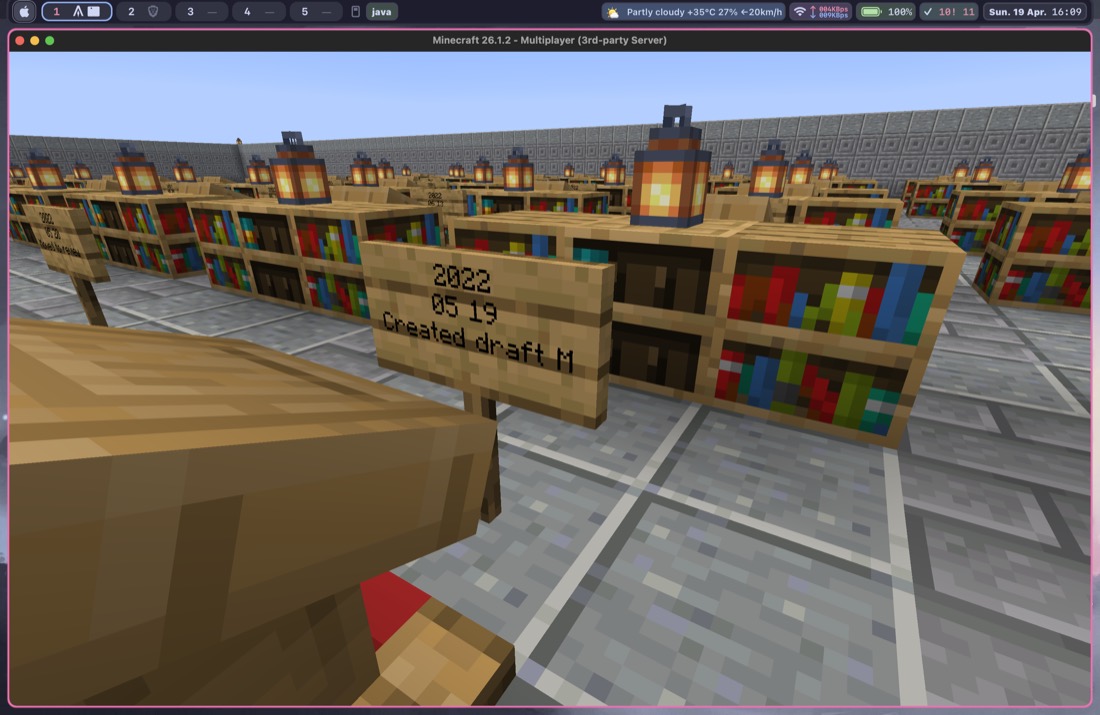
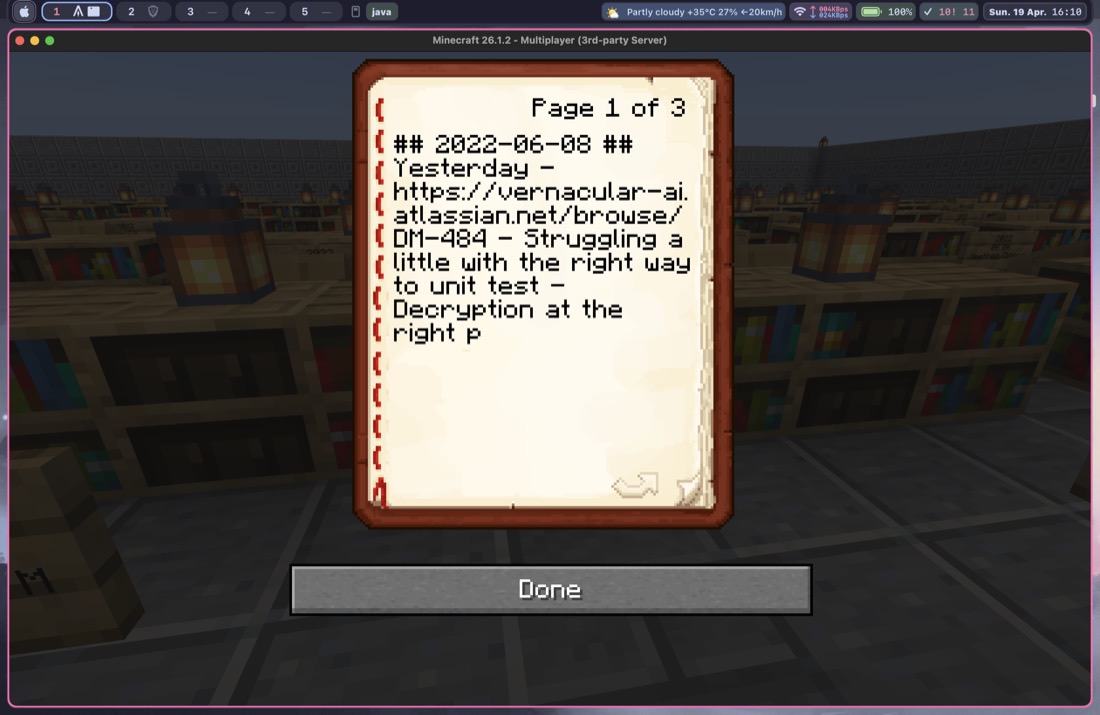
Mine Palace turns a markdown vault into a Minecraft memory palace. In vault mode, top-level folders become districts. In diary mode, dated notes become years, months, and day alcoves. Notes become shelves, lecterns, signs, and readable books you can open inside Minecraft.
World view
These screenshots show one generated world style from Mine Palace. The current planner supports both folder-based vault layouts and diary layouts built from dated markdown notes.
Input
Bring a markdown vault from tools like Obsidian. Use default vault
mode for folder-based districts, or diary mode for dated notes like
YYYY-MM-DD.md.
Shape
Vault mode creates districts from folders. Diary mode creates year/month/day layouts from journal entries. In both cases, note content is available as books inside Minecraft.
Deploy
Inspect the preview first, then replay generated commands over RCON or use the function files however you like.
How it works
01
Use the bundled sample vault for a demo, point the planner at a general markdown vault, or use diary mode for dated journal notes.
02
The CLI writes a manifest, build commands, book commands, and a visual HTML preview.
03
Open the preview, confirm the layout, then apply the generated commands to a running Minecraft server.
Quickstart
PYTHONPATH=src python3 -m mine_palace.cli demo --output build/demo
This creates a sample vault plus the world plan, commands, and
preview in build/demo.
PYTHONPATH=src python3 -m mine_palace.cli plan \
  --vault /path/to/your/vault \
  --output build/my-world
Use --include if you want to bias the build toward
specific folders instead of your whole vault.
PYTHONPATH=src python3 -m mine_palace.cli plan \
  --layout diary \
  --vault /path/to/your/diary \
  --output build/my-diary-world
Diary mode expects dated markdown files named like
YYYY-MM-DD.md.
open build/my-world/preview/index.htmlThe preview is the sanity check. It shows the hub, districts, note count, and overall world layout before you touch Minecraft.
export MC_RCON_PASSWORD='...'
PYTHONPATH=src python3 -m mine_palace.cli deploy-rcon \
  --artifacts build/my-world \
  --host 127.0.0.1 \
  --port 25575
If written-book commands do not match your server version, use
--skip-books in the deployment flow.
What you need
manifest.json for the planned layoutcommands/clear.txt for rebuild-safe clearingcommands/build.txt for replayable commandscommands/books.txt for readable note booksmcfunction/build.mcfunction for function-based usepreview/index.html for visual inspection